
Accountants with Purpose
Join with us, and we’ll help your business thrive or even transform it completely.
Trustworthy
At our firm, we pride ourselves on being trustworthy accountants and auditors who ensure financial integrity and transparency.
Experienced
With over 27 years of experience, our firm brings a wealth of seasoned expertise to every client engagement.


Welcome to Easy Accounting, your trusted partner in financial excellence
What we Do
Individual & Corporates Accounting Services
Full Accounting Service
Without proper and accurate accounting, it’s like driving blind. Measuring Profitability, Determining Tax consequences, and Reporting and Conclusions about the state of your business, will be inaccurate or impossible.
SARS – Let Us Handle All your SARS Issues
Let us help you with ALL your SARS and relevant tax issues. Application of Tax law and Tax compliance can get complicated and need a specialist with tax experience!
Financial Planning
Financial planning is a necessity for every successful business. Let us assist you in making informed and timely decisions, utilizing sound financial analysis!
Financial Turn Around
Businesses sometimes needs to overcome financial difficulties due to challenging circumstances. Let us help you to find solutions and resolve problems to make your business profitable again.
do it right, sleep tight
Useful Financial Management

Managing finances effectively is crucial for every business owner to maintain stability and facilitate growth. Here are 10 essential tips:
- Create a Detailed Budget: Establish a comprehensive budget that outlines your expected income and expenses. Update it regularly to reflect actual figures and adjust forecasts as needed.
- Monitor Cash Flow: Cash flow is the lifeblood of your business. Keep track of incoming and outgoing cash to ensure you can cover expenses and plan for any financial gaps.
- Separate Personal and Business Finances: Open separate bank accounts and credit cards for your business to maintain clear financial records. This separation simplifies accounting, tax filing, and financial analysis.
- Control Expenses: Review expenses regularly and identify areas where you can cut costs without compromising quality. Negotiate with suppliers for better terms and prices.
- Forecast Financial Needs: Anticipate your business’s financial needs for the short and long term. This includes planning for inventory, equipment upgrades, hiring, and expansion.
- Monitor and Understand Your Financial Ratios: Key Performance Indicators (KPI) and ratios like gross profit margin, net profit margin, and return on investment (ROI) provide insights into your business’s financial health. Regularly analyze these ratios to assess performance and identify areas for improvement.
- Prepare for Taxes: Understand your tax obligations and deadlines. Keep accurate records of income, expenses, and deductions to facilitate tax preparation and minimize tax liability.
- Build an Emergency Fund: Set aside funds for unexpected expenses or downturns in business. An emergency fund provides a financial buffer and reduces reliance on credit during tough times.
- Invest in Financial Management Tools: Consider using accounting software or financial management platforms to streamline processes, track finances in real-time, and generate reports for informed decision-making. There is very smart software available to monitor KPI’s of your business regularly!
- Seek Professional Advice: Consult with an accountant or financial advisor to optimize tax strategies, financial planning, and compliance with regulations. Their expertise can help you navigate complex financial situations and plan for growth.
By implementing these financial management tips, business owners can enhance financial stability, maintain profitability, and position their businesses for long-term success.
SARS Tax Returns
SARS filing season opens 15 July 2024. Do you need help from tax specialists?
We do tax calculation, complete IT return and answer queries from SARS for you.

Latest News

💡 𝐀𝐭𝐭𝐞𝐧𝐭𝐢𝐨𝐧 𝐒𝐨𝐮𝐭𝐡 𝐀𝐟𝐫𝐢𝐜𝐚𝐧 𝐓𝐚𝐱𝐩𝐚𝐲𝐞𝐫𝐬!
❗️ Did you know that the South African Revenue Service (SARS) has the authority to access your bank account if you owe them money? ❓ With 2025 shaping up to be a challenging year, especially for non-compliant trusts, taxpayers need to be aware of the consequences...
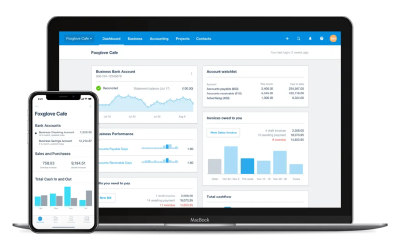
Key Performance Indicators (KPIs)
KPI’s that are essential for small and medium-sized enterprises (SMEs) to track their performance and ensure sustainable growth. Here are five crucial KPIs every SME should monitor:

Benefits of Cloud Accounting!
𝐂𝐥𝐨𝐮𝐝 𝐀𝐜𝐜𝐨𝐮𝐧𝐭𝐢𝐧𝐠: 𝐀 𝐆𝐚𝐦𝐞-𝐂𝐡𝐚𝐧𝐠𝐞𝐫 𝐟𝐨𝐫 𝐒𝐌𝐄𝐬 Small and medium-sized enterprises (SMEs) play a critical role in the global economy, yet they often face significant challenges. Cloud accounting has emerged as a transformative tool for SMEs, offering numerous benefits that...

📶 𝐅𝐈𝐍𝐀𝐍𝐂𝐈𝐀𝐋 𝐒𝐓𝐀𝐓𝐄𝐌𝐄𝐍𝐓𝐒 𝐈𝐍 𝐀 𝐍𝐔𝐓 𝐒𝐇𝐄𝐋𝐋!
🔀 𝐑𝐄𝐅𝐋𝐄𝐂𝐓𝐈𝐎𝐍 𝐎𝐅 𝐅𝐈𝐍𝐀𝐍𝐂𝐈𝐀𝐋 𝐏𝐄𝐑𝐅𝐎𝐑𝐌𝐀𝐍𝐂𝐄 𝐀𝐍𝐃 𝐏𝐎𝐒𝐈𝐓𝐈𝐎𝐍 🔀 ✅ Financial statements are official records that provide a summary of a BUSINESS financial performance and position. They typically include four main documents:➤ Income Statement: ⤴️Shows the company’s revenues,...

Get Ready for Tax Season: Important Dates and Deductions You Shouldn’t Miss!
Tax Filing Season Opens 15 July 2024! Attention individual taxpayers! If you weren't auto-assessed by SARS between 1 July and 14 July 2024, mark your calendar: you need to submit your tax returns by 21 October 2024. For those who were auto-assessed, don’t forget that...

What to ask your Accountant?
Can you explain the financial reports you’ve prepared? How can we improve our cash flow management? Are there any tax-saving strategies we can implement? What are the key financial metrics we should be tracking? Can you help us understand our budget variances? What...

The Importance of Business Accounting and Bookkeeping
In the fast-paced world of entrepreneurship, business accounting and bookkeeping are crucial for the success and sustainability of any enterprise. Accurate financial records provide a clear picture of your business’s financial health and pave the way for informed...

The role of an Accountant
Accountants play a crucial role in businesses by providing financial expertise and ensuring the company’s financial health. Here are several key roles accountants typically fulfill: Financial Record Keeping: Accountants are responsible for maintaining accurate...